A useful home office gift can make calls clearer, tame cable clutter, or help a desk feel more comfortable. These twelve ideas cover a range of setups, from focused workstations to spaces shared with gaming and creative projects.
Consider how the recipient works before choosing: a display adapter helps connect a laptop, while a microphone or speakers suits someone who spends time recording or listening at a desk.
12 Home Office Tech Gift Ideas for Every Kind of Desk
SABRENT USB-C 6-Port Hub with M.2 SSD Slot

- Connect displays in extended or mirror mode through HDMI.
- Includes Gigabit Ethernet for a wired network connection.
- The internal slot supports SATA or NVMe M.2 SSDs.
Best Gift For: A laptop user who wants a single hub for peripherals, an external display, networking, and portable storage.

TP-Link AXE5400 Tri-Band WiFi 6E Router

- Tri-band WiFi is designed for simultaneous browsing, streaming, gaming, and downloads.
- OFDMA technology supports simultaneous transmission to more devices.
- Supports both VPN server and client functions.
Best Gift For: Someone setting up a home network for video calls, streaming, and connected devices.
SteelSeries Arctis Nova Pro Wireless Gaming Headset

- Connect two systems at once and toggle between them.
- Active noise cancellation has a Transparency Mode option.
- Two hot-swappable batteries keep a spare charging in the base station.
Best Gift For: A desk gamer who wants a headset for switching between gaming and mobile audio.
FIFINE T669 USB Condenser Microphone Kit

- The USB connection works with a PC or laptop without extra hardware or drivers.
- The cardioid capsule captures audio from the front and avoids ambient noise.
- The kit includes an adjustable boom arm and double pop filter.
Best Gift For: A remote worker, podcaster, or video creator who records or joins calls at a computer.
HUANUO FlowLift Dual Monitor Desk Mount

- Fits 13–32″ computer screens weighing 4.4 to 19.8 lbs per arm, with VESA mounting holes measuring 75x75mm or 100x100mm.
- The arms allow tilt, swivel, and rotation adjustments.
- Built-in cable management routes wires along the arms.
Best Gift For: A desk worker with two compatible monitors who wants to adjust their viewing positions and free desktop space.
Nulaxy Pull-Out Height Adjustable Laptop Stand

- Raises a laptop screen to adjustable heights for sitting or standing desk work.
- Fits laptops from 10 to 17 inches.
- The foldable design saves desk space when not in use.
Best Gift For: A laptop user who alternates between sitting and standing at a desk.
Sleek Socket Flat Outlet Concealer with Extension Cord
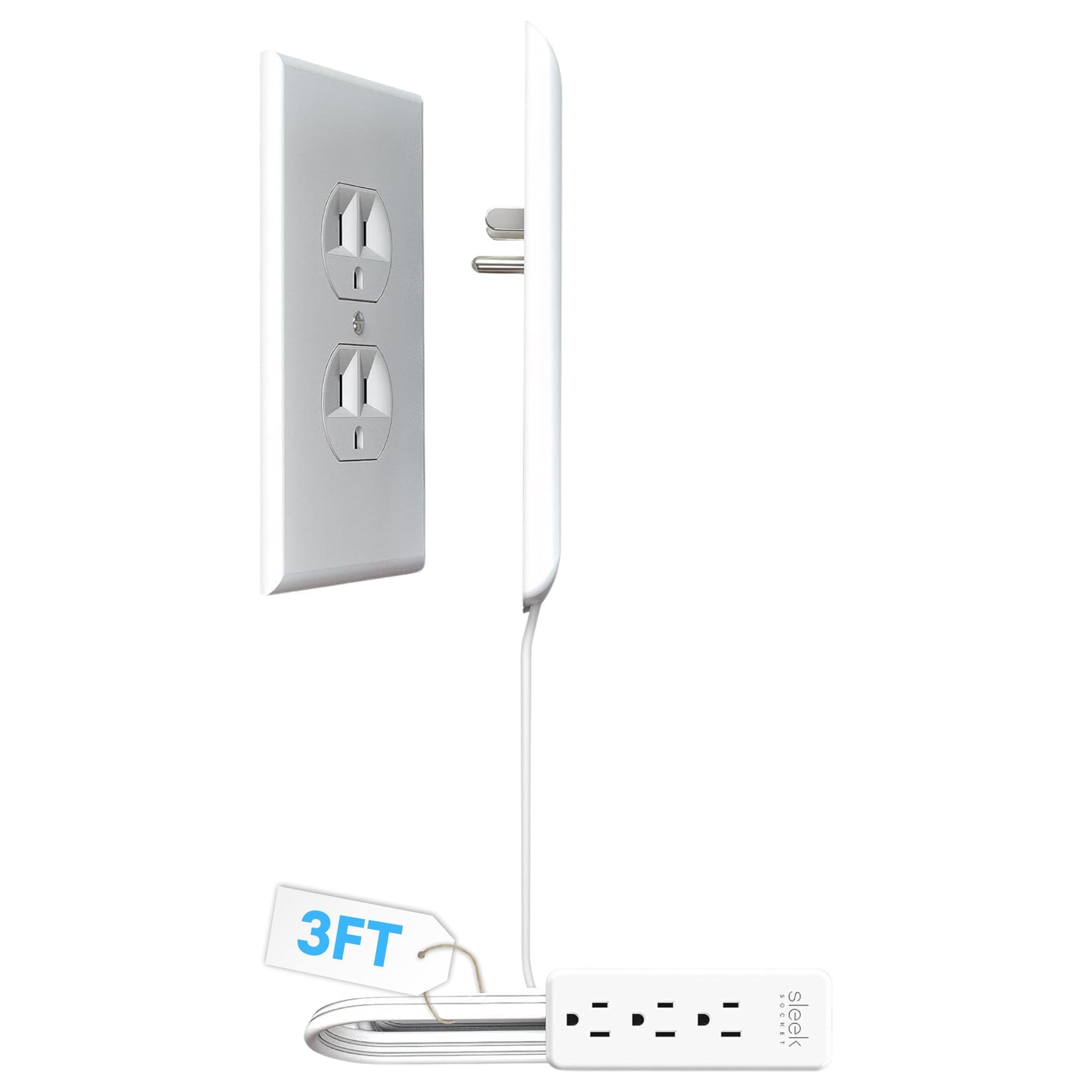
- The kit includes a flat 3-foot extension cord.
- The power strip provides three outlets.
- Adhesive clips and strips help secure the cord along a wall.
Best Gift For: Someone who wants to organize plugs and cords near a home office outlet.
SteelSeries Apex Pro HyperMagnetic Gaming Keyboard

- Per-key actuation offers 40 adjustment levels from 0.1 to 4.0 mm.
- Two actions can be assigned to the same key.
- USB passthrough connects another USB-powered device.
Best Gift For: A desk gamer who would enjoy adjusting key actuation and using an onboard display.
Audioengine A2+ Wireless Computer Speakers

- Bluetooth 5.3 aptX-HD supports wireless streaming from phones, tablets, and computers.
- USB-C, RCA, and 3.5mm AUX provide wired connection options.
- An integrated digital-to-analog converter connects to a computer through USB-C.
Best Gift For: Someone who listens to music, podcasts, or calls from a desk computer.
MAONO Wave T5 Mini Wireless Lavalier Microphone

- The microphone offers four one-tap voice filters.
- Noise cancellation offers three modes and fourteen levels adjustable through the Maono Link App.
- A Type-C port on the receiver can charge a phone while connected.
Best Gift For: A remote presenter or content creator who records on a phone, camera, or computer.
Phomemo D30 Bluetooth Label Maker with 3 Tapes
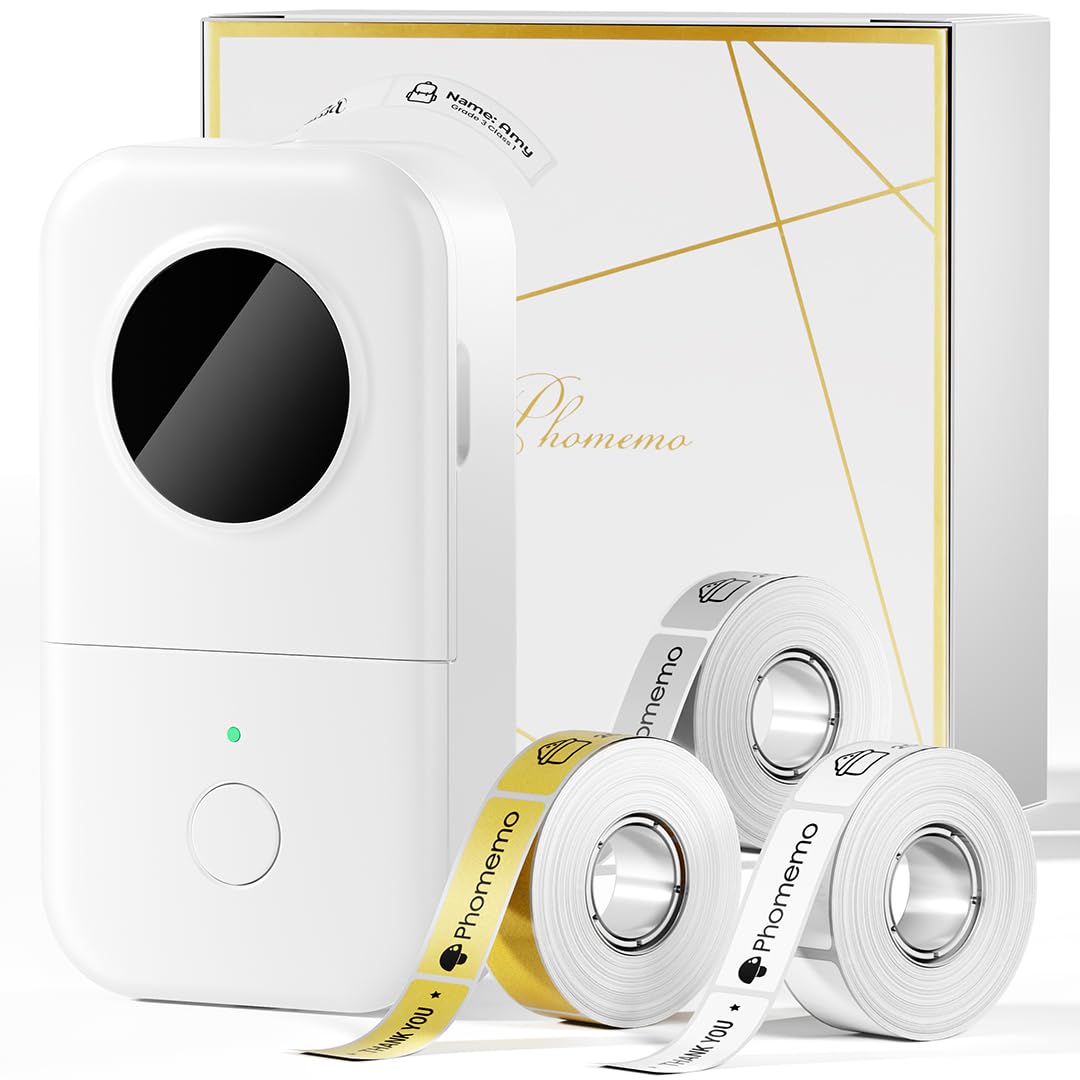
- The bundle includes white, gold, and clear tapes.
- It prints black text using direct thermal technology without ink, toner, or ribbons.
- Create labels from a phone or tablet over Bluetooth.
Best Gift For: Someone who enjoys labeling office supplies, files, and cables to keep a workspace organized.
5000mAh Slim Magnetic Wireless Power Bank

- Attaches magnetically to compatible MagSafe iPhones and cases.
- Its 5000mAh capacity is designed for backup power on the go.
- USB-C output supports wired charging, while wireless charging suits compatible iPhones.
Best Gift For: A phone user with a compatible MagSafe setup who wants portable backup power during a workday.
Choose home office tech gifts around a real workday
Start with the friction the recipient encounters most often. If video calls, music, or recordings are part of the workday, audio gear may feel more personal than another desk accessory.
If they regularly connect peripherals or move between devices, a hub or router may better match their routine.
Think about the entire setup before choosing. A display hub is useful when the laptop supports the needed connection mode; a monitor mount depends on screen size, weight, mounting holes, and desk construction.
For a laptop stand, check that the recipient’s device fits and that its working height suits the desk.
For home office tech gifts, a simple clue can point to the right category: ask what takes the longest to connect, what makes calls frustrating, or which corner of the desk collects cables. That gives you a practical starting point without asking the recipient to choose the exact item.
Balance the budget with the whole setup
A modest gift can solve one persistent annoyance, while a more involved upgrade may require matching equipment or extra setup. Set a comfortable spending level, then consider whether the recipient already owns the devices needed to use the gift.
Check current prices before buying, since prices can change.
Compatibility can matter more than adding features. A dual monitor mount requires suitable screens and a compatible desk; a wireless microphone or magnetic charger also depends on the intended devices.
Compare the exact model and connection requirements with what the recipient owns, and allow room in the budget for any accessories they may need.
Choose a larger upgrade when you know it fits the recipient’s daily routine and setup. Otherwise, a focused improvement such as better cable organization or clearer computer audio can make a thoughtful gift without asking them to rearrange the entire office.
Add a personal touch to the workspace
The most memorable home office tech gifts feel connected to the recipient’s habits. Someone who records tutorials might appreciate a small stand or a microphone-related addition; a person who enjoys a tidy desktop could value a thoughtful cable or label organization plan.
Let their existing desk, colors, and routines guide the presentation.
A useful way to personalize a practical gift is to pair it with a handwritten note naming the problem you hope it solves: “For easier video calls” or “To make your desk feel calmer.” You can also wrap a small accessory with a notebook or a favorite snack, while keeping the main gift easy to inspect and set up.
If the gift needs installation, offer help as part of the gesture. Ask before moving equipment or changing network settings, and let the recipient decide where a mount or cable organizer belongs.
A little consideration for their workspace makes the gift feel collaborative rather than prescriptive.
Plan a convenient, last-minute purchase
When time is short, favor a gift whose fit you can verify quickly. Check the exact model, compatibility, dimensions, and included components, then compare those details with the recipient’s devices and desk.
For home office tech gifts, an accessory that matches a known setup is often easier to choose confidently than a broad equipment upgrade.
Review the checkout page for current price and estimated delivery, and choose shipping only after confirming the date works for your occasion. Delivery estimates can vary, so keep a simple fallback such as a printed note describing the gift or a small desk treat if timing is uncertain.
If you cannot confirm compatibility, choose a flexible, easy-to-personalize item or give the recipient a clear choice. Avoid guessing about ports, desk thickness, phone cases, or monitor mounting.
A brief message explaining the intended use lets them check the details and helps ensure the gift becomes part of their workday.
Make home office tech gifts feel useful
A good choice supports a real part of the recipient’s routine, whether that means connecting devices, organizing the desk, or making calls and listening more comfortable. Use what you know about their work habits to narrow the options, then check that the product fits the equipment they already own.
Thoughtful presentation can be simple: explain why you chose it, include any setup information you have verified, and leave room for the recipient to make the workspace their own. The right gift should feel considered and easy to make useful.